From Square sign-in to your first delivery, step by step
Selling on Soil Direct runs on the Square account you already use. Here is the whole path: connecting Square, setting your delivery rules, going live, and what happens when an order comes in.
Before you start
Setup pulls in what's already in your Square account, so it goes quickest with these ready:
- A Square account with your locations and items. Setup only imports what exists in Square. No Square account yet? Create one and add the materials you sell.
- Your delivery details. How far each yard delivers, which days and hours, and what each truck charges: a base charge, a per-mile rate and any environmental fee.
- Truck capacities. The most (and least) each truck carries of each product, which is what decides how many trips an order needs.
- A phone number for receipts. It's printed on customer receipts so buyers can reach your yard.
Six steps to list your yard
The portal walks you through these in order, and you can change any of them later.
Sign in with Square
Choose Start selling and sign in with Square. Square asks you to give Soil Direct access to your items, locations, orders, payments, customers and invoices. That access is how your catalog comes in, and how paid orders, refunds and customer records end up in your Square account.
Choose which locations deliver, and how far
Your Square locations are listed for you. Turn on the ones that deliver and give each a delivery radius of up to 50 miles. Customers outside every radius won't see that location's products.
Add your trucks and their rates
Name each truck and set, per location, its base charge, per-mile rate and any environmental fee, and whether delivery is taxable. Delivery prices are built from these numbers and the driving distance to the customer.
Match your products
Match each Square item to a Soil Direct category and product type, so a customer looking for decomposed granite finds yours. Choose the unit you sell by: cubic yard, cubic foot, ton, pound, square foot, unit, or your own Square unit.
Confirm prices and truck loads
Prices are pre-filled from Square and can differ by location. Then set the minimum and maximum each truck carries of each product.
Review and submit
Check everything and add your receipt phone number. The Soil Direct team then reviews your yard, and your products go live on soildirect.com once you're approved.
When an order comes in
Every order arrives paid. Here is what happens between that email and the photo at the drop site.
You're notified
You get a new-order email, and a text too if you switch it on in Settings. The order shows the material, quantity, delivery address, the window the customer chose, and a cost breakdown.
Accept or decline
Accept the order, or decline it with a reason the customer will see. Declining refunds the customer automatically through Square.
Plan the delivery
Assign a truck and a driver, or split a large order across several trucks and days. The week board shows everything going out, and you can drag a load to another day.
Your driver delivers
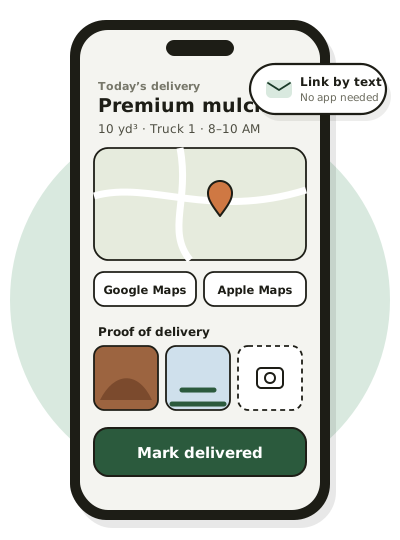
The driver gets a text with a link to the delivery, opens maps from it, starts the delivery, takes at least one photo at the drop and marks it delivered. The Square order is marked fulfilled.
Changes are handled
If the customer needs more, change the quantity and Square emails them an invoice for the difference. Less, and the difference is refunded. You can also move the delivery time, add notes, or print an order summary.
Getting paid and keeping records
Customers pay by card, Apple Pay or Google Pay when they check out, and the payment is taken on your own Square account. Money reaches your bank on your normal Square payout schedule. Soil Direct never holds it.
Because each order is also a Square order, your Square reports keep working. The portal adds its own: sales, sales tax by state, county and city, deliveries by driver and truck, product performance, and new versus repeat customers, all exportable to Excel, CSV or PDF. See all features or read about the Square integration in detail.
Ready to take orders online?
Sign in with the Square account you already use to set up your yard. Your products go live on soildirect.com once our team has reviewed your setup.
Questions first? Email supplier@soildirect.com or call 888-688-7645.