Sell landscape supplies online, without the phone tag
Soil Direct puts your soil, mulch, gravel and rock in front of homeowners and contractors with an instant delivered price. Orders arrive paid in your Square account, and your drivers get everything they need by text.
Already a Soil Direct supplier? Sign in to your portal
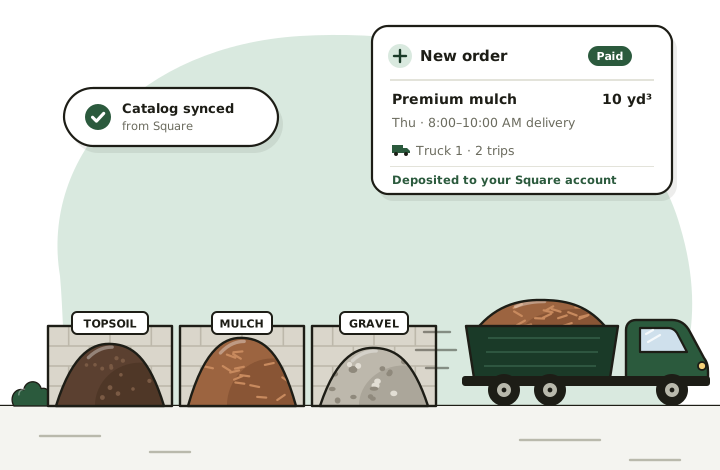
- Paid through SquareEvery order is charged on your own Square account, so the money goes straight to you.
- Priced by your rulesYour prices, trucks, per-mile rates and delivery radius set every delivered price.
- No app for driversDrivers get a text link with the address, map buttons and a photo step.
- Square stays in syncItems, photos and prices come from Square, and your edits go back to it.
Less time on the phone. More loads out the gate.
Selling bulk material has always meant a lot of back-and-forth: the same quote worked out ten times a day, card numbers read over the phone, addresses texted to drivers. Soil Direct takes the repetitive parts off your plate and leaves you the work only your yard can do.
A typical day without online ordering
- Answering “how much for ten yards of mulch, delivered?” over and over
- Working out truck sizes, trips and mileage by hand for every quote
- Taking card numbers over the phone and chasing unpaid orders
- Texting addresses to drivers and hoping the load lands in the right spot
- Rebuilding sales and sales-tax numbers at the end of the month
The same day with Soil Direct
- Customers see a delivered price, tax included, at any hour
- The quote uses your trucks, load limits, per-mile rates and radius
- Orders arrive already paid, charged on your own Square account
- Drivers get a text link with the stop, map buttons and a photo step
- Sales, tax, delivery and customer reports, ready to export
Everything between “how much?” and “delivered”
One portal for online orders, delivery planning and drivers, connected to the Square account you already run your yard on.
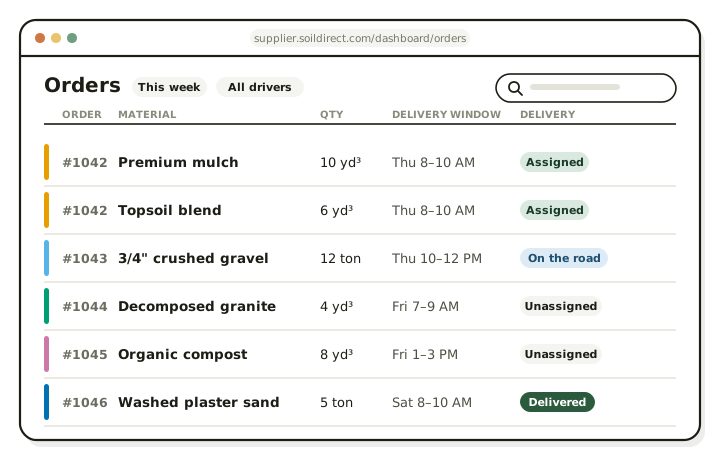
Online orders that arrive paid
Shoppers on soildirect.com enter their address and see your delivered price: material, delivery and tax in one number. They check out with a card, Apple Pay or Google Pay, the payment goes through your Square account, and the order lands in your portal.
- A new-order email, plus text alerts if you want them
- Accept, or decline with a reason; the customer is refunded automatically
- Change a quantity and the order re-prices itself
Delivery planning without the whiteboard
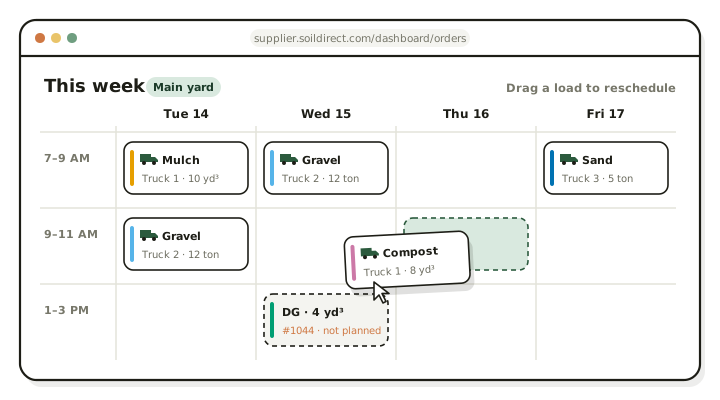
Publish the days and delivery windows each yard runs, and customers book into them. Split a big order across trucks, drivers and days, then see the whole week on one board and drag a load to move it.
- Delivery windows in 30-minute steps, set per location
- Plans by truck, driver, quantity and day
- Printable order summaries for the yard office
Drivers get a link, not another app
Assign a driver and they get a text with a link to the delivery: the address with Google Maps and Apple Maps buttons, the load and the window. They start the delivery, photograph the drop and mark it delivered. The photos are saved on the order, so “where did you dump it?” always has an answer.
How the driver page works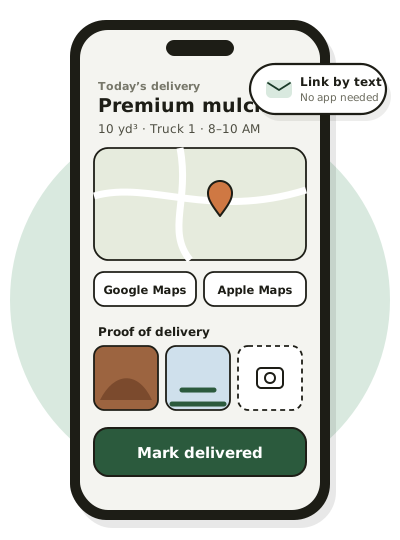
Square stays your system of record
Sign in with Square and your items, photos, locations and prices come across. Every paid order is created as a Square order at your location, the buyer joins your Square customer directory, and refunds go back through Square to the original payment.
How the Square integration works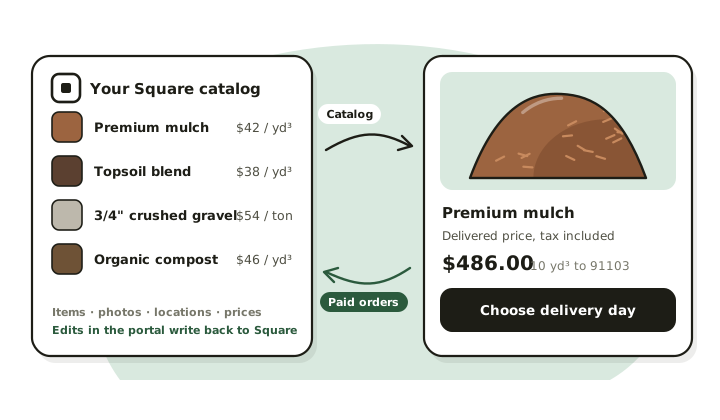
From Square sign-in to your first delivery
Setup runs on what's already in your Square account, so most of it is confirming, not typing.
Sign in with Square
Use the Square account your yard already runs on, or create one first.
Set your delivery rules
Delivery radius, days and windows, plus each truck's rates and load limits.
Match your products
Map each Square item to a Soil Direct product type and the unit you sell by.
Go live and take orders
We review your yard, then customers in your delivery area can order.
Made for yards that sell by the yard and the ton
If you load material into a truck and deliver it, Soil Direct handles the online side: pricing, ordering, payment and delivery paperwork.
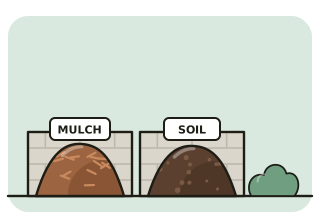
Landscape supply yards
Mulch, topsoil, compost, decorative rock and decomposed granite, with delivery priced by distance from your yard.
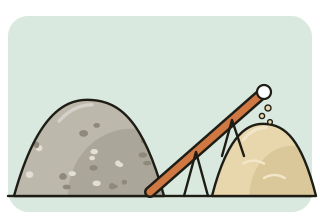
Sand, gravel and rock yards
Aggregates sold by the ton or cubic yard, with truck load limits that decide how many trips an order needs.
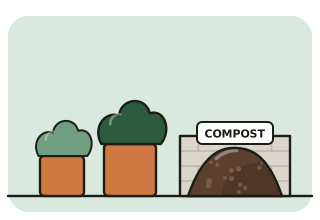
Nurseries and garden centers
Bulk soils, amendments and mulch for delivery, alongside everything you already sell through Square.
Online ordering built for bulk materials
Most online stores are built for boxes: a fixed price, a shipping rate, a doorstep. Bulk material doesn't work that way. The price of ten yards of mulch depends on how far the address is from your yard, how much each of your trucks carries, how many trips it takes, and the sales tax where it's delivered.
Soil Direct does that math with your own numbers, every time someone checks a price. Customers get a real delivered price and book a delivery window you've published. You get a paid order with everything worked out, ready to plan onto a truck.
Thinking about building your own store instead? We compared the options, including running both, in landscape supply website vs. Soil Direct.
Start Selling on Soil Direct
Fill out the application below and our team will be in touch within 2–3 business days.
What suppliers ask first
How do I get paid?
Customers pay by card, Apple Pay or Google Pay, and the payment is taken on your own Square account. The money reaches your bank on your normal Square payout schedule. Soil Direct never holds your money.
If a customer orders from more than one yard, each yard is charged separately, on its own Square account.
How is the delivery price calculated?
From your own numbers. Soil Direct measures the driving distance from your location to the customer's address, picks the truck and number of trips from each truck's load limits, and applies that truck's base charge, per-mile rate and any environmental fee. Tax is added, so the customer sees one delivered price.
Do my drivers need to download an app?
No. When you assign a driver, they get a text message with a link to the delivery. It opens in the phone's browser with the address, Google Maps and Apple Maps buttons, and the load details.
Does Soil Direct review suppliers before they go live?
Yes. After you finish setup, the Soil Direct team reviews your yard. Your products appear on soildirect.com once you're approved.
What does it cost to sell on Soil Direct?
There's no software to buy and nothing to install: you sign in with the Square account you already have. Card payments are processed by Square on your account at your usual Square rates.
For Soil Direct's current supplier terms, email supplier@soildirect.com.
Ready to take orders online?
Sign in with the Square account you already use to set up your yard. Your products go live on soildirect.com once our team has reviewed your setup.
Questions first? Email supplier@soildirect.com or call 888-688-7645.