Delivery dispatch for supply yards, from order to drop-off
Soil Direct prices every delivery from your own trucks and rates, books it into a window you publish, and gets your driver to the drop site with a text link and photo proof.
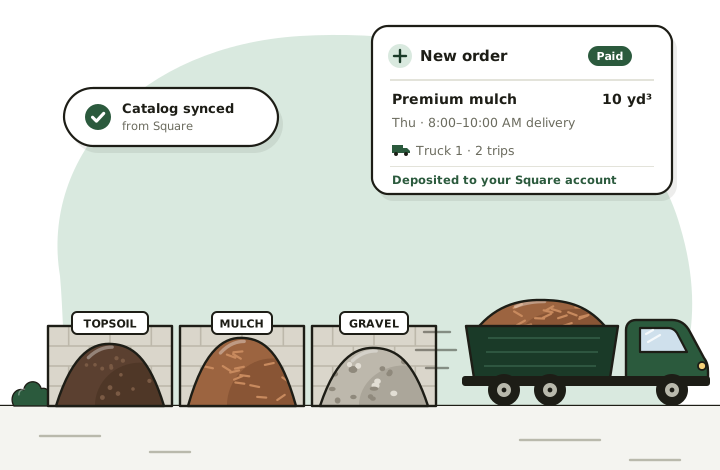
Delivery prices customers see before they order
Phone quotes for delivered material take time because the answer depends on so much: the distance, the truck, the number of trips. Soil Direct works it out the same way you would, using your numbers.
- Distance: the driving distance from the delivering location to the customer's address.
- Truck and trips: the truck that fits, and how many loads the order takes, based on the minimum and maximum each truck carries of that product.
- Your rates: each truck's base charge, per-mile rate and any environmental fee, set per location, with delivery taxed or not as you choose.
- Your area: a delivery radius for each location, up to 50 miles. Addresses outside it simply aren't offered that location.
Delivery days and windows you control
Publish the days each location delivers and the windows it offers, in 30-minute steps between 6 AM and 8 PM. Customers choose from those windows at checkout, so orders arrive already booked into your schedule. Two yards with different hours can each run their own schedule.
Haven't set a schedule yet? Locations without one offer three standard windows, so you can start taking orders and fine-tune later.
Split loads across trucks, drivers and days
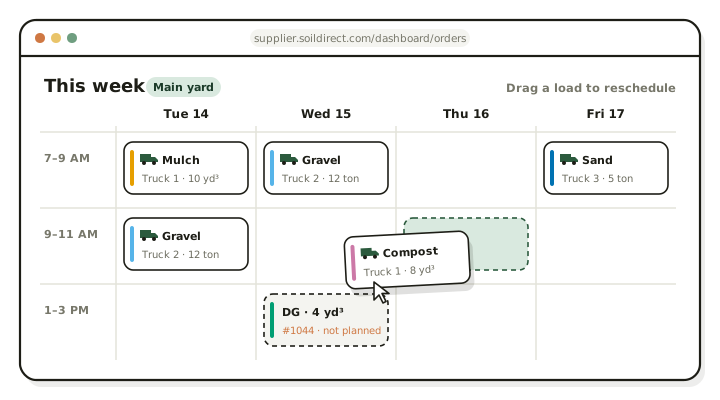
A 40-ton order doesn't fit on one truck, and it may not all go out on one day. A delivery plan splits a line across as many loads as it needs, each with its own truck, driver, quantity and day.
The week board shows every load going out, by day and, once you pick a yard, by that yard's delivery windows. Loads nobody has planned yet stand out, and you can drag any load to another day to reschedule it.
Drivers get a text link, map buttons and a photo step
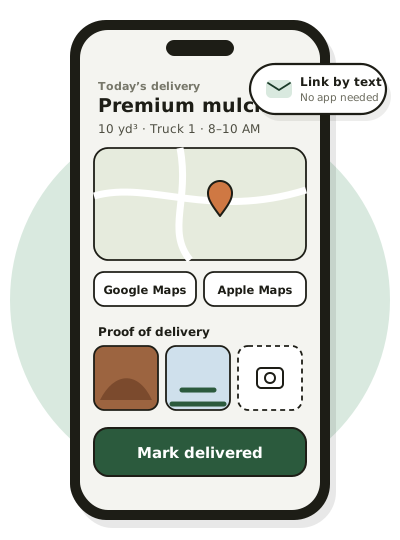
When you assign a driver, they get a text message with a link to that delivery, or an email if there's no mobile number. No app to install and no login to forget.
- The address, with buttons that open Google Maps or Apple Maps
- The material, quantity, truck and delivery window
- A start button, so you can see the load is on its way
- At least one photo at the drop site to finish, up to ten
- A text to the driver if the delivery is cancelled
Marking the delivery done saves the photos to the order and completes the Square order. The Drivers page keeps each driver's delivery history, and you can mark a delivery done yourself when you handle it without a driver.
Built for dump truck deliveries, not parcels
Most delivery apps assume a box and a doorstep. Bulk material is measured in yards and tons, a truck holds only so much, and the load goes on a driveway or a job site where “put it on the left” matters. Soil Direct was built around that: prices from truckloads and miles, plans by truck, and a photo of every drop.
It's also not haulage software. Soil Direct is for yards delivering their own material to their own customers, with the selling, payment and Square side included. If that's your yard, here's how getting started works.
Delivery records that add up
The deliveries report shows loads by driver and by truck, with the miles behind them, and a map of where your orders went by ZIP code and city. Export it to Excel, CSV or PDF whenever you need it.
Delivery questions
How far do I have to deliver?
You decide. Each location gets its own delivery radius, up to 50 miles, and only customers inside it can order from that location.
Can one order go out on more than one truck or day?
Yes. A delivery plan splits an order across trucks, drivers and days, each with its own quantity. The week board shows every load, and you can drag one to another day to reschedule it.
How does proof of delivery work?
To complete a delivery, the driver takes at least one photo at the drop site, up to ten. The photos are saved to the order, and completing the delivery marks the Square order fulfilled.
Ready to take orders online?
Sign in with the Square account you already use to set up your yard. Your products go live on soildirect.com once our team has reviewed your setup.
Questions first? Email supplier@soildirect.com or call 888-688-7645.